CryptoTrader
From source selection to transaction review and tax reports.

The CryptoTrader concept shows a web application for importing crypto activity, reviewing transactions, and viewing tax reports. The provided screens connect source selection, transaction filters, tax-period summaries, and a dashboard.
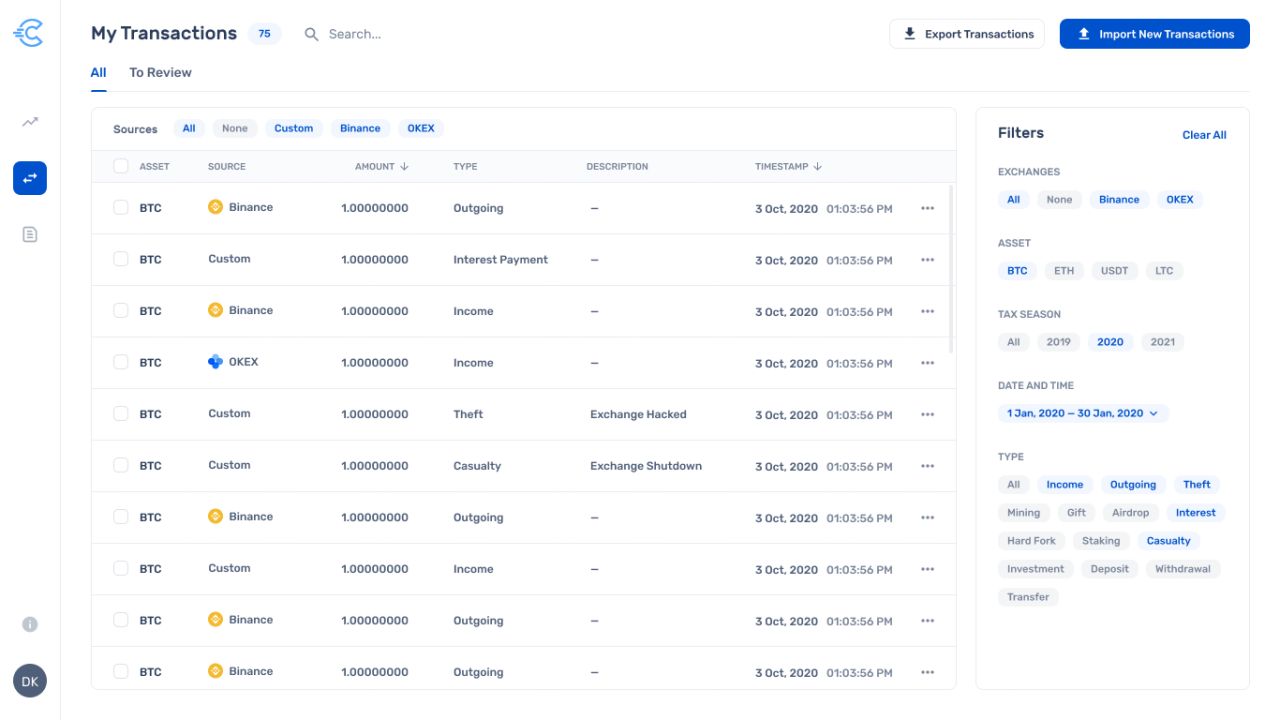
My Transactions — source tabs, transaction table, and filters.
Transaction details in one view
The concept shows asset, source, amount, type, description, and timestamp in one transaction table. A side panel groups exchange, asset, tax-season, date, and transaction-type filters.
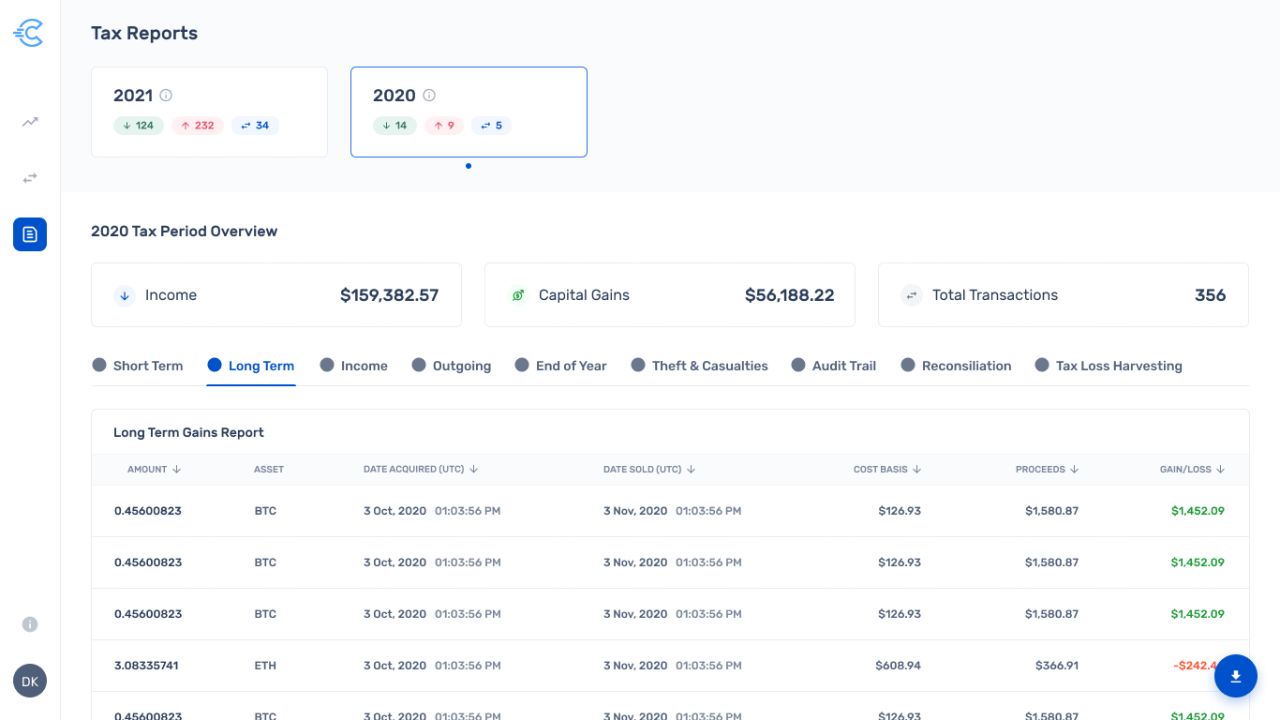
Tax Reports — period selection, summary figures, and a long-term gains table.
Tax periods and report detail
The concept shows tax-year cards above income, capital-gains, and transaction summaries. Report tabs separate the visible categories, with acquisition dates, cost basis, proceeds, and gain or loss in the table.
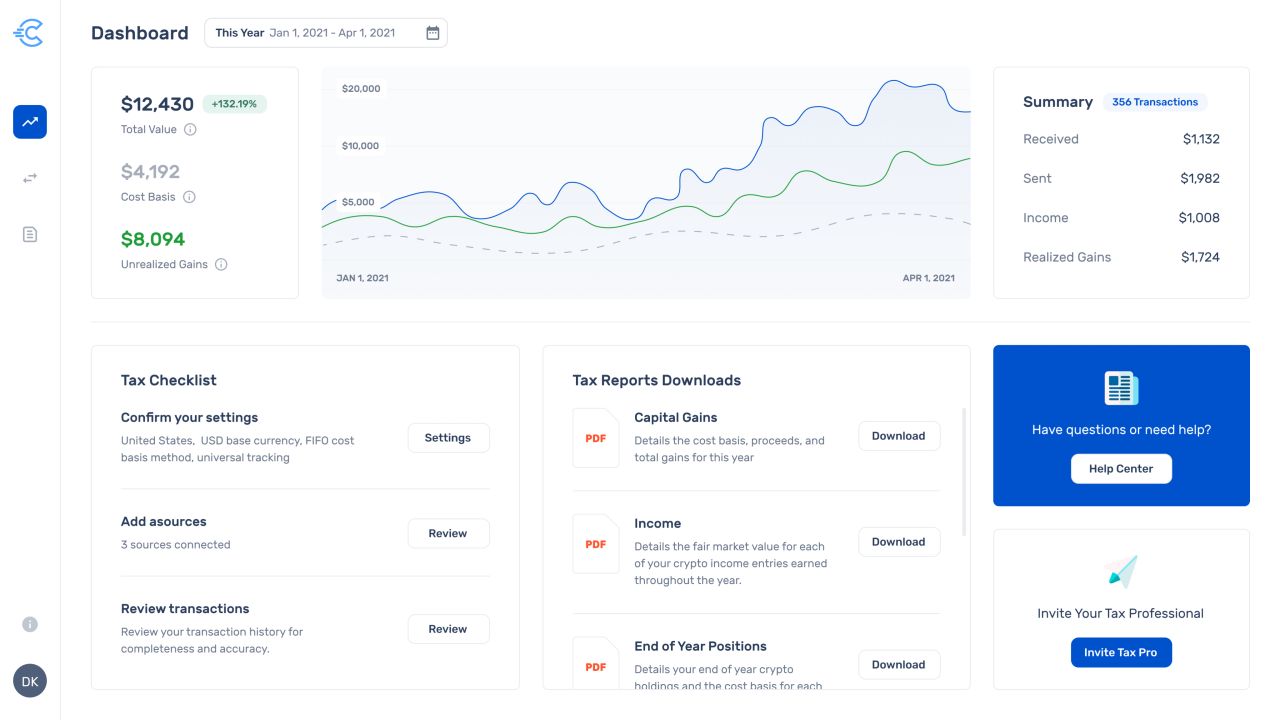
Dashboard — value chart, transaction summary, tax checklist, and report downloads.
An overview beside the next tasks
The dashboard concept places a value chart and transaction summary above a tax checklist and report-download list. Help and tax-professional invitation cards appear alongside these panels.
Our approach
Show the workflow
The source-selection screen displays Import, Classify, Review, and Reports as a four-step sequence.
Organize detailed information
The transaction and tax-report screens use tables, tabs, and grouped filters to present the visible data.
Pair summaries with tasks
The dashboard groups chart summaries with a checklist, downloadable reports, and help controls.