Spiff
Commission tracking and sales performance, designed for mobile.
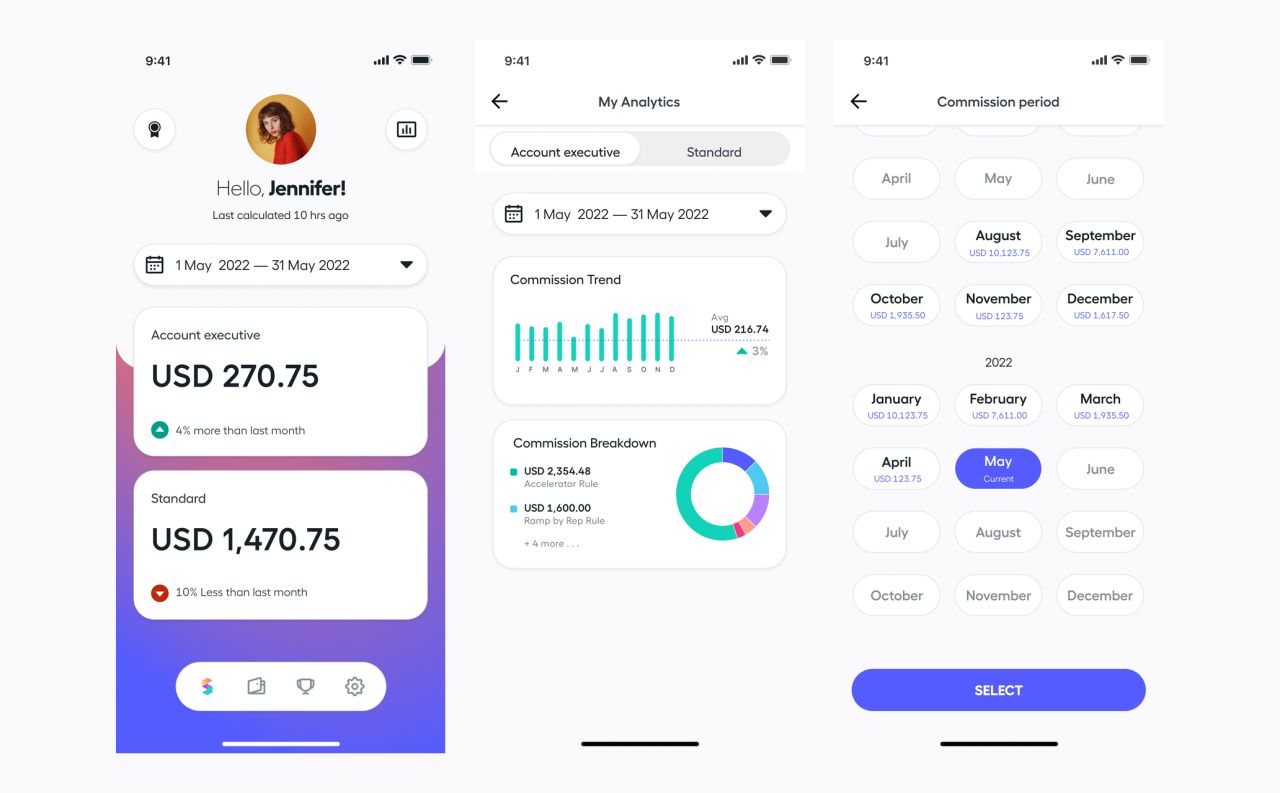
Spiff provides automated commission tracking and financial visibility for enterprise sales teams. This mobile redesign brings commission summaries, customer-level breakdowns, payouts, and team performance into a clear interface, with light and dark variants.
Team performance at a glance
Leaderboards present quota progress alongside individual sales profiles. A focused detail sheet adds the representative’s team, performance, commission total, and a clear challenge action.

Sales leaderboard and representative profile
A clear path into a challenge
The challenge flow offers a choice of competition, then brings the participants, dates, reward, and progress into one focused view.

Challenge selection and competition details
From team rankings to personal earnings
A team selector narrows the leaderboard context. The personal commission view brings the selected period, current total, comparison, and payout rules together.
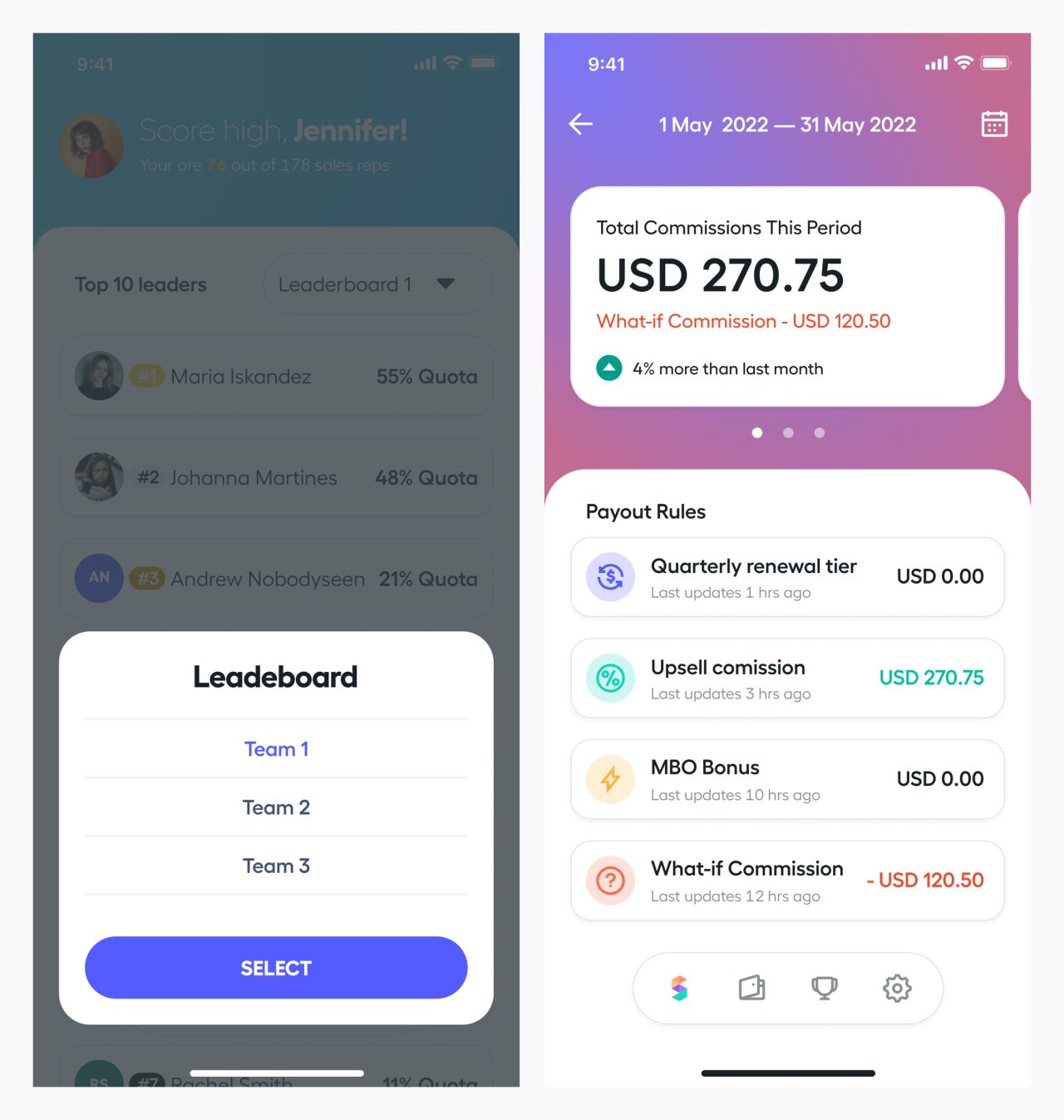
Team selector and commission overview
See the trend and its breakdown
Trend and breakdown views use the same layout while changing the chart at the top. The payout-rule list stays visible beneath it, keeping the detail connected to the summary.
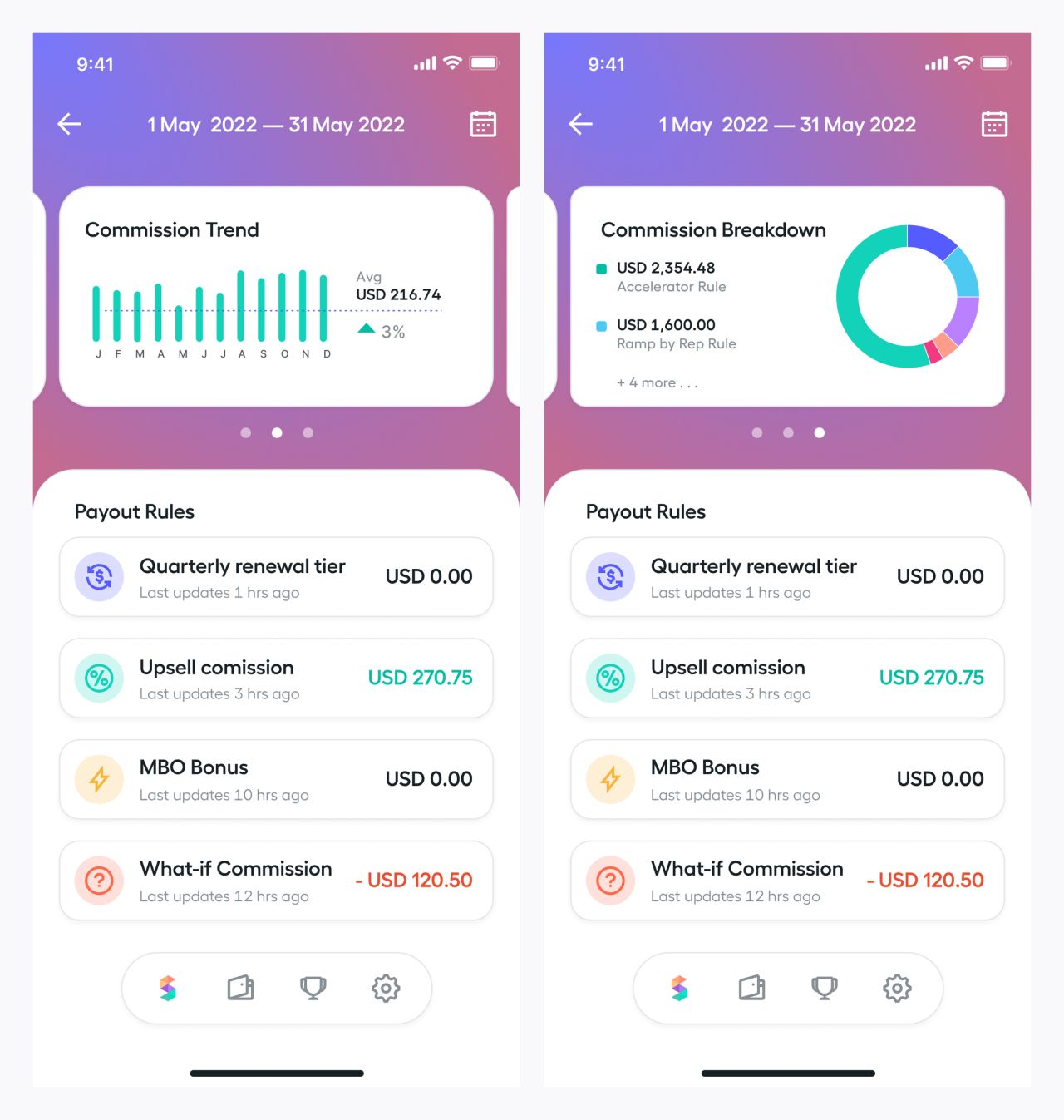
Commission trend and breakdown states
Follow a commission to the customer
The upsell view lists commissions by customer. Opening a record reveals the deal, close date, amount, adjustment, and payout rule in a compact detail sheet.
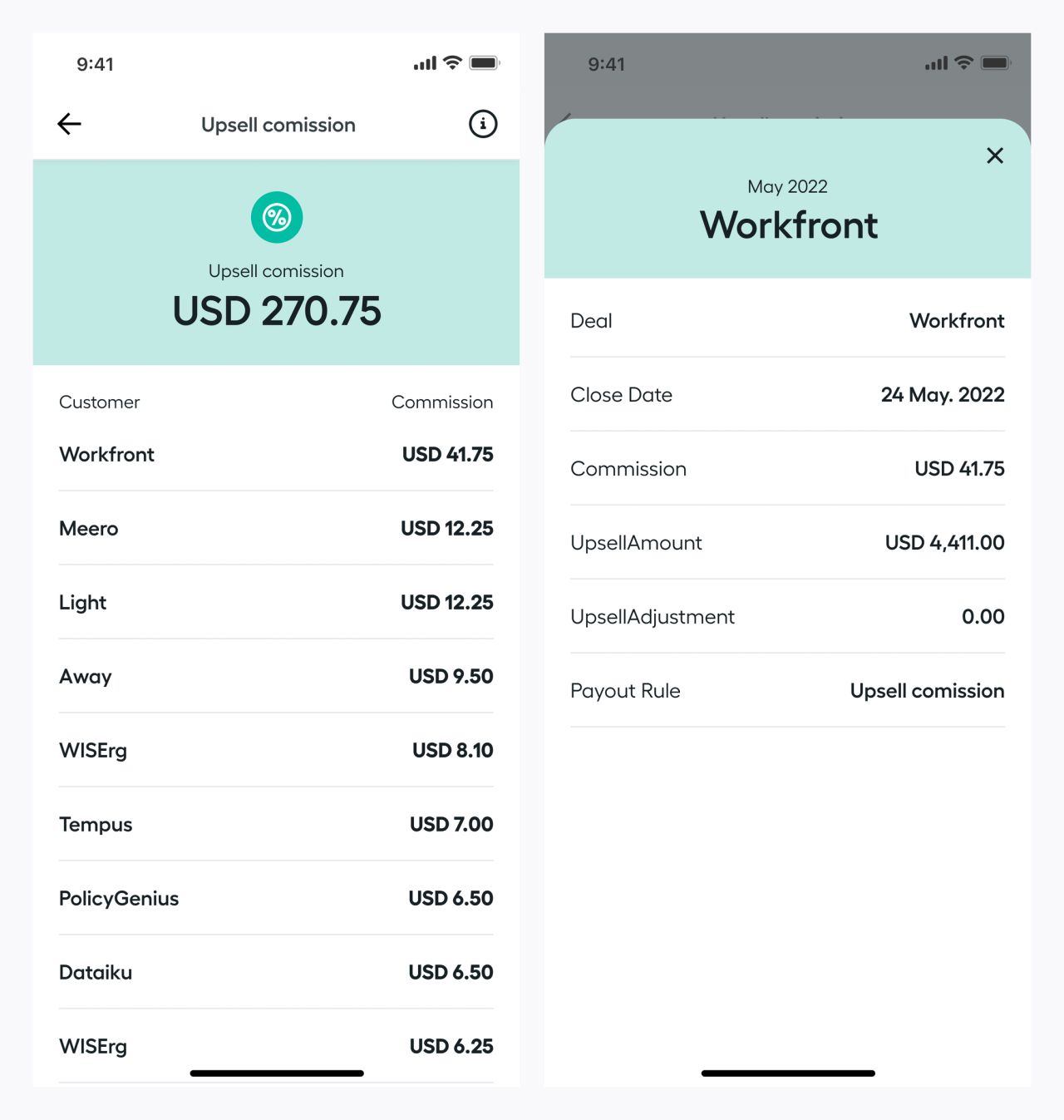
Upsell commissions and customer details
Explore what-if amounts
A separate what-if view distinguishes potential commission adjustments from the upsell list. Customer details expose the renewal and contract fields shown in the calculation context.
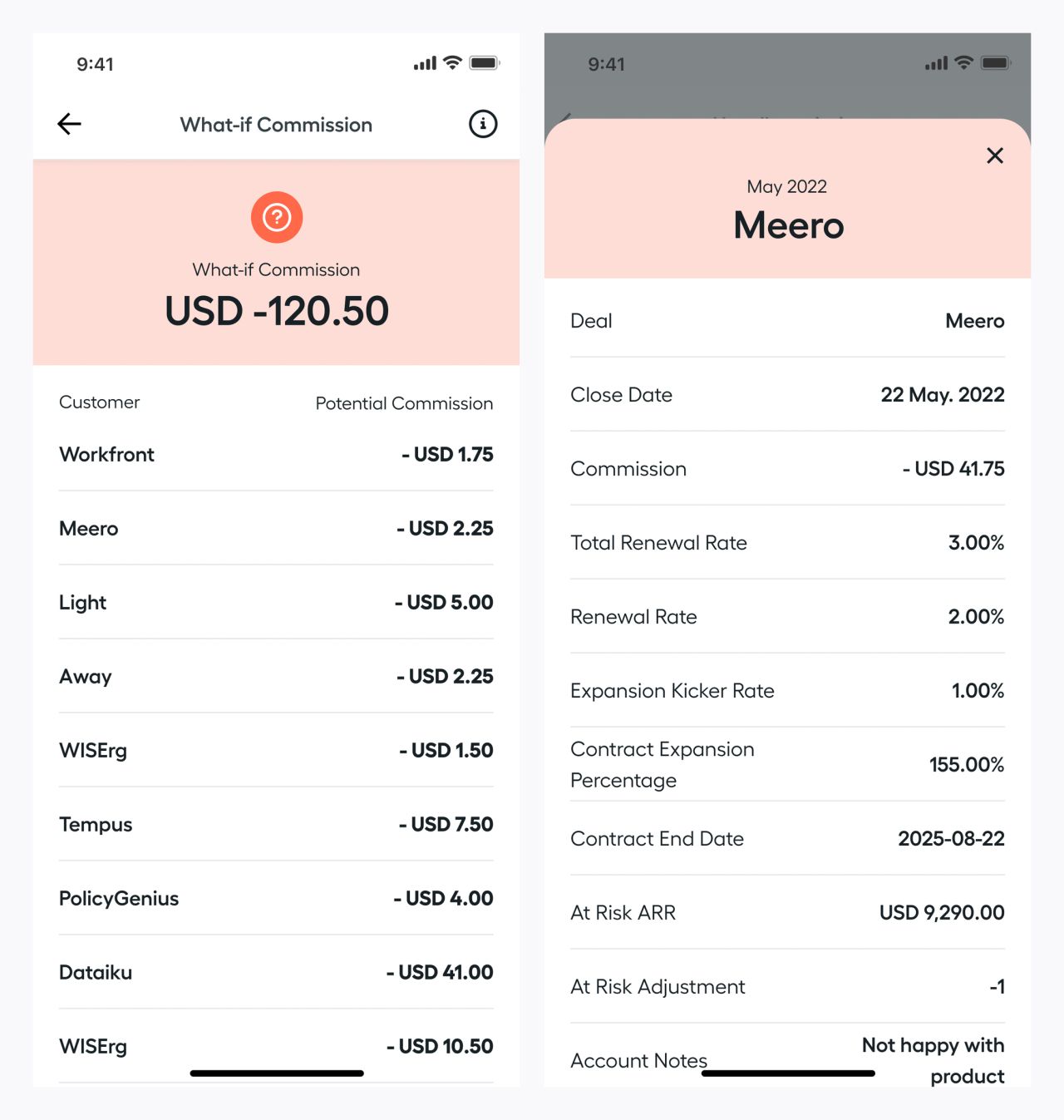
What-if commissions and customer detail sheet
Keep the rule close to the amount
An information sheet explains the upsell rule without leaving the list. The dark variant preserves the same customer rows and commission hierarchy.
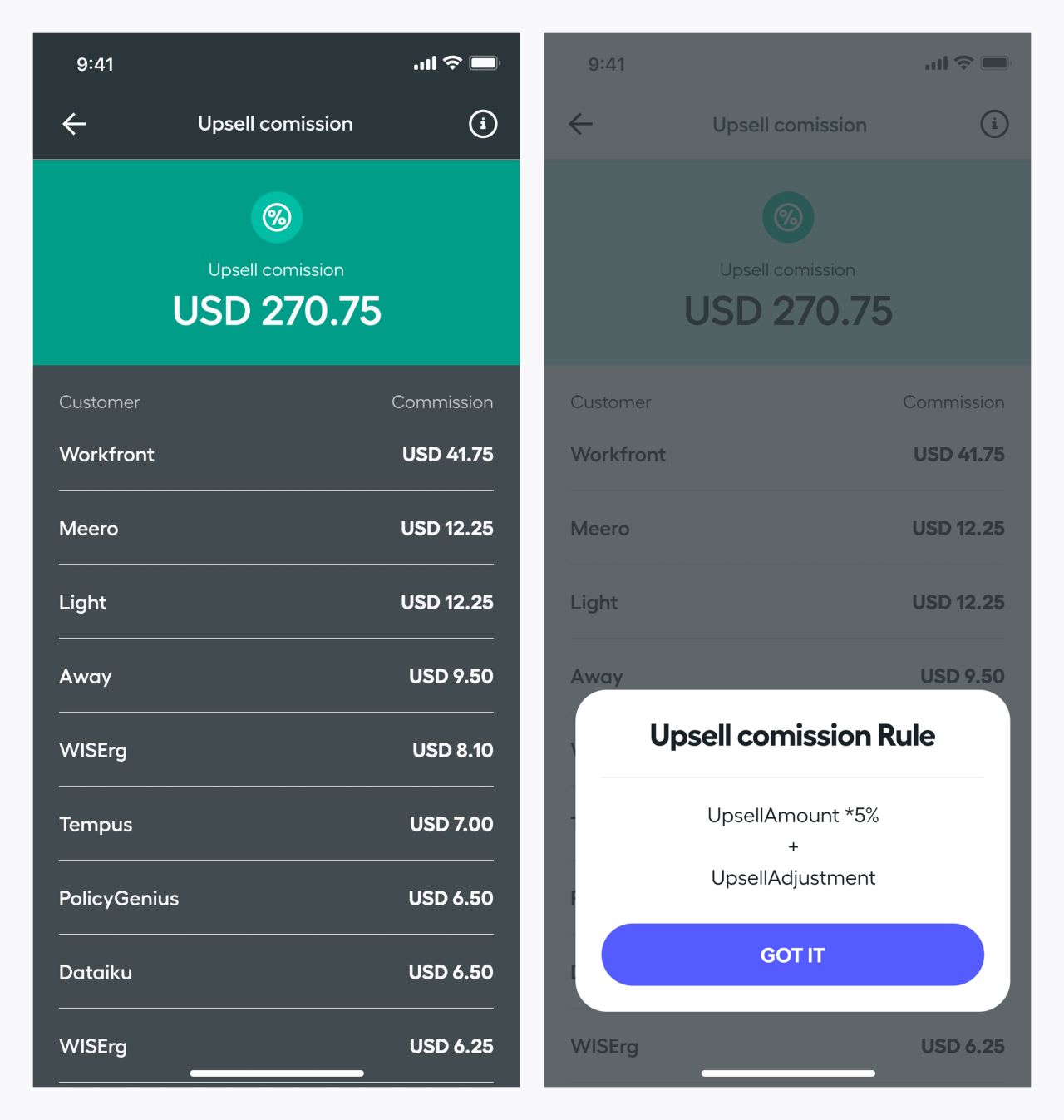
Dark upsell list and rule explanation
Understand payout status
The payout overview separates paid and pending amounts. Its detail sheet breaks down a payment and exposes receipt, claim, and chat actions.
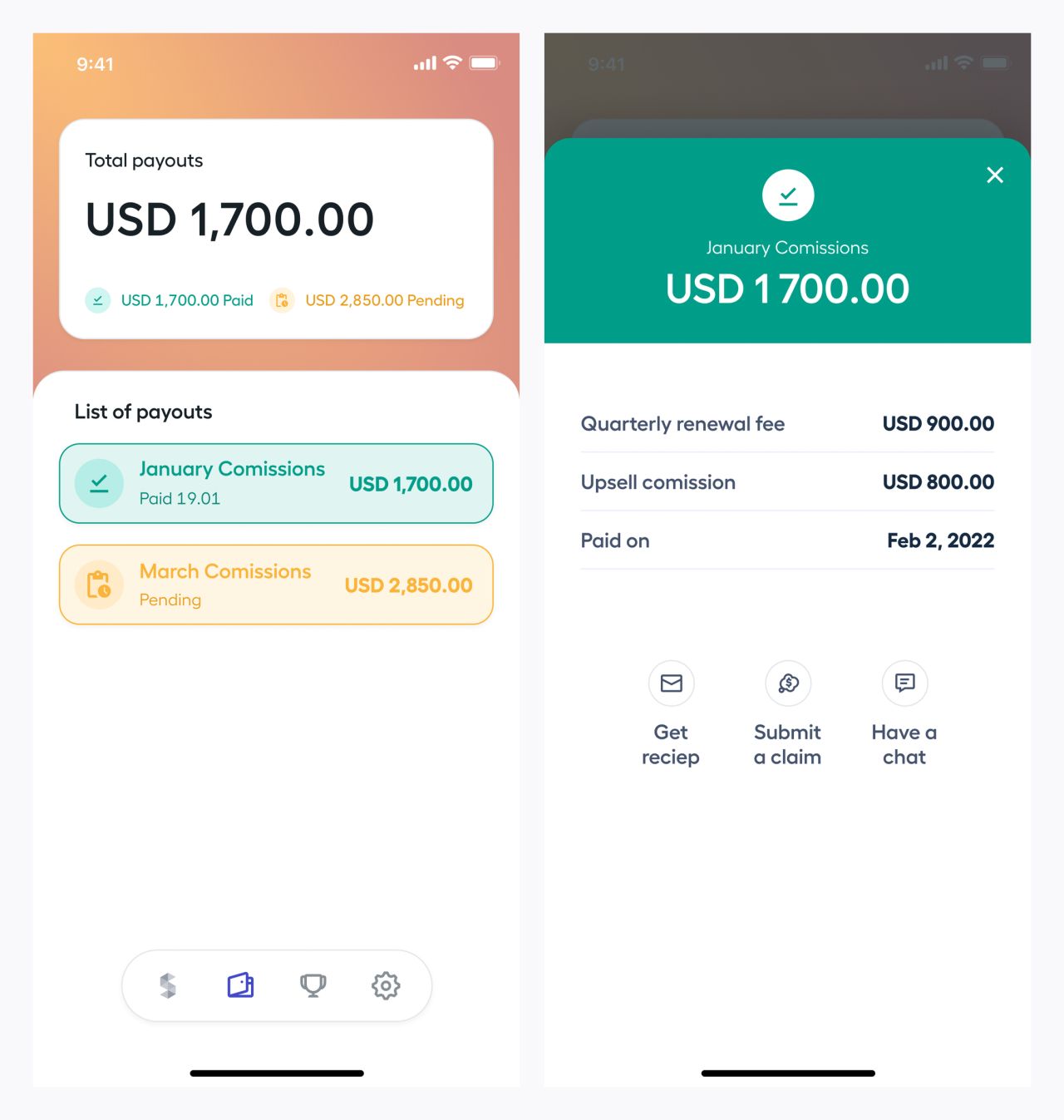
Payout overview and paid commission details
A focused personal workspace
Profile settings keep personal information, security, notification preferences, and chat together. The editing screen provides fields for the name, email, currency, and language.
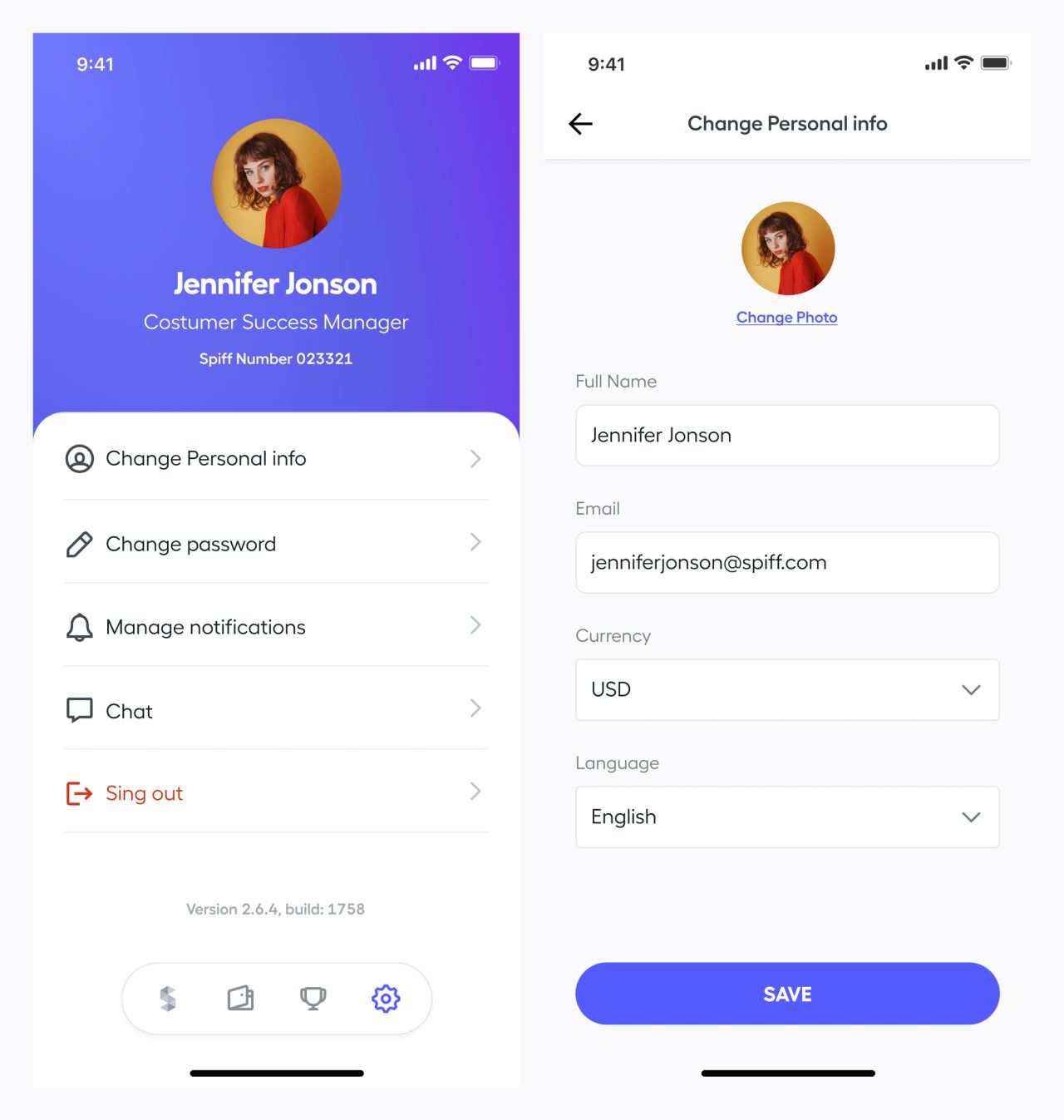
Profile settings and personal-information form
Control notifications and conversations
Notification settings distinguish email and in-app preferences. The conversation screen shows messages, shared images, and a composer within the same mobile visual system.
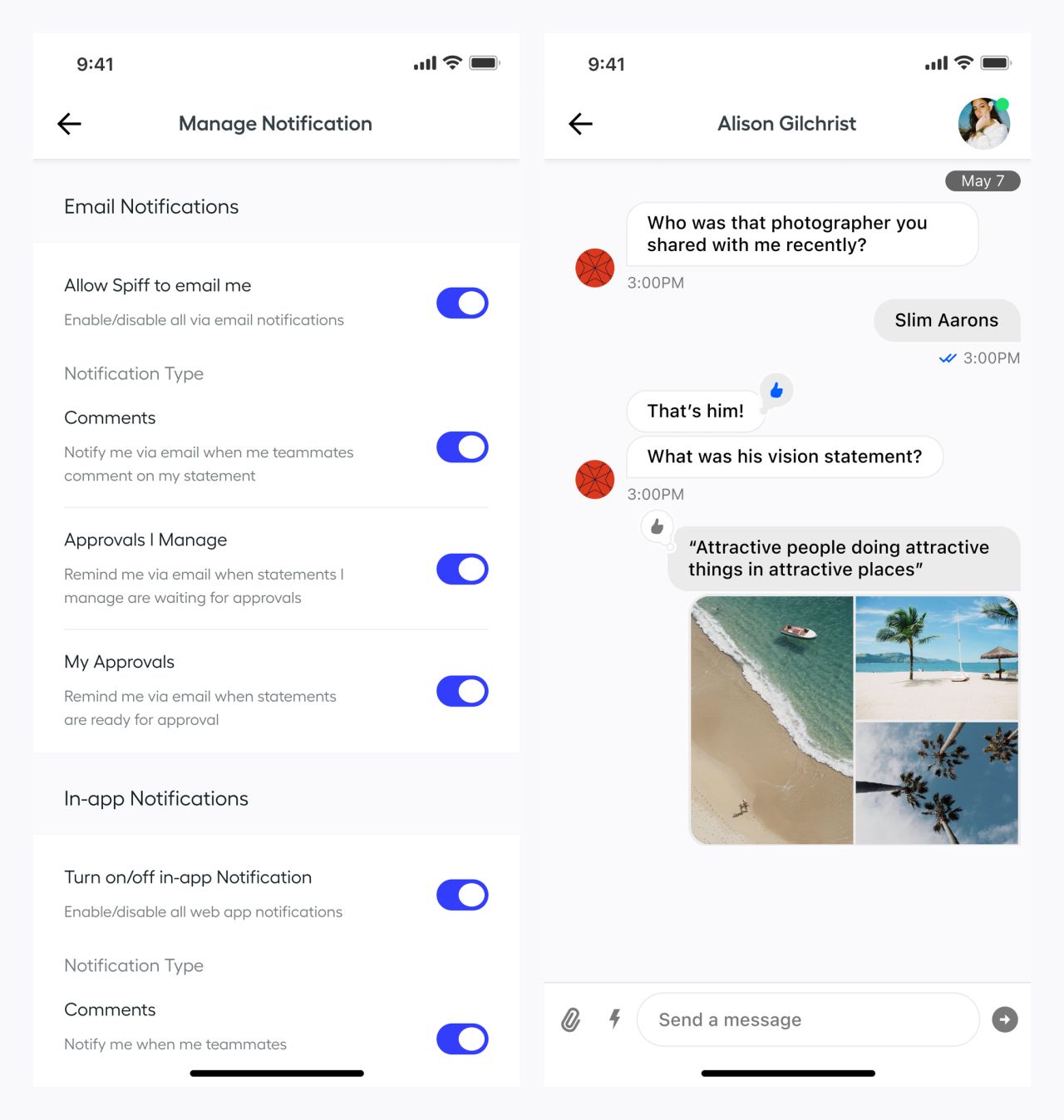
Notification preferences and conversation screen
The same hierarchy in a dark theme
Dark home and analytics screens retain the commission cards, plan switcher, date range, and charts. Color accents continue to distinguish figures and trends against darker surfaces.
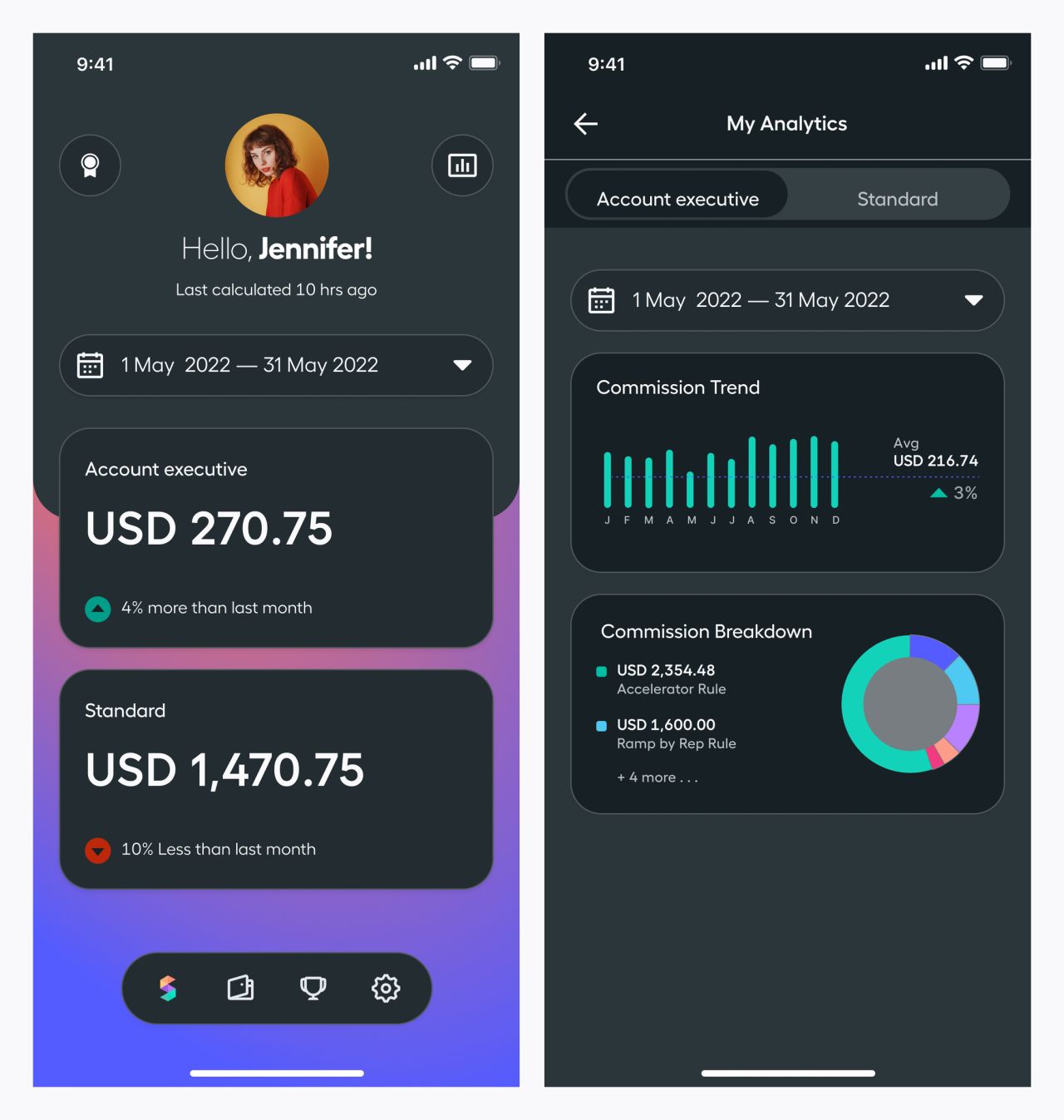
Dark home and analytics variants
Consistent access and commission views
The dark commission overview keeps its summary and payout-rule cards. The sign-in screen pairs username and password fields with standard and single-sign-on actions.
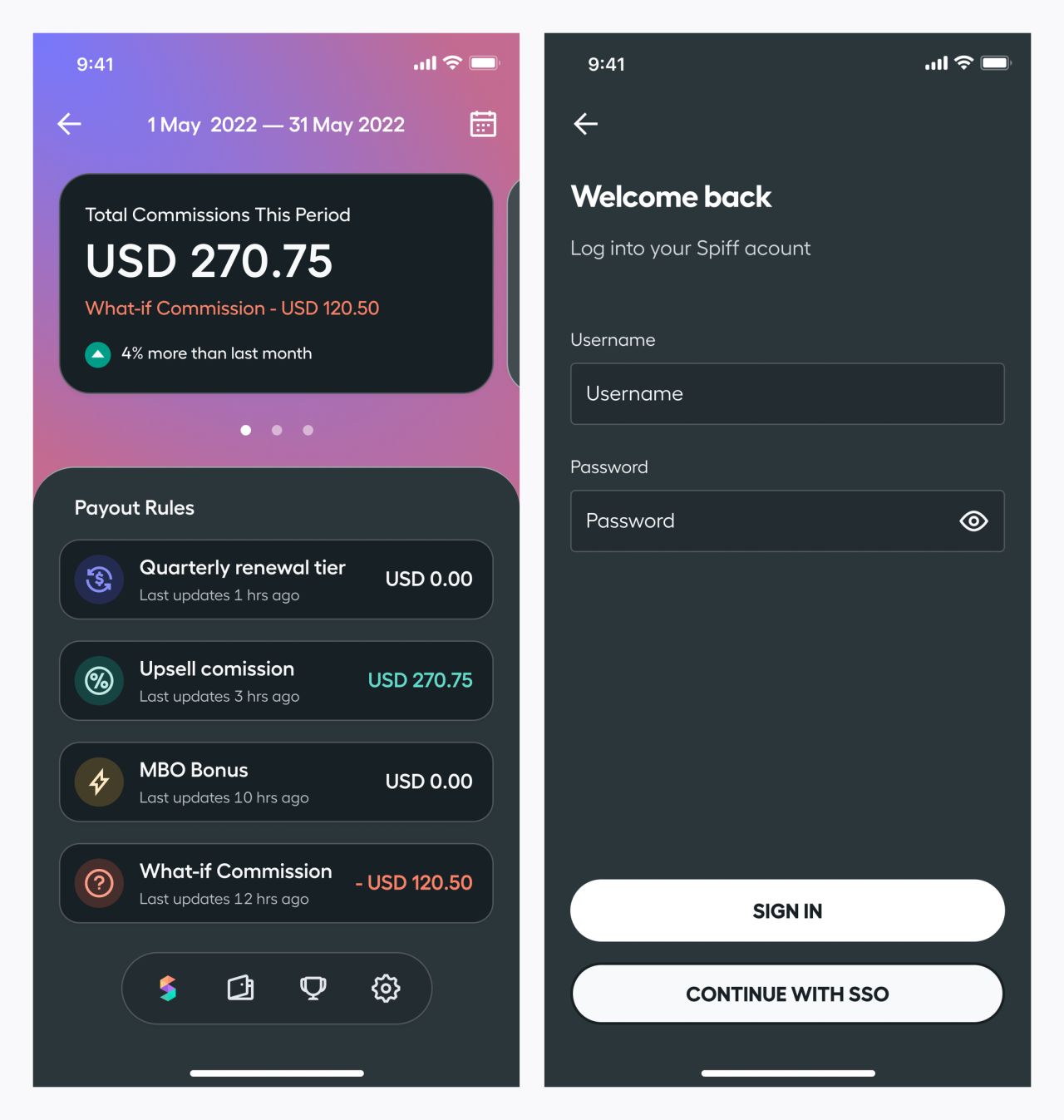
Dark commission overview and sign-in screen
Our approach
Make earnings understandable
Prominent totals, charts, and customer-level details give commission information a clear visual hierarchy.
Keep detail in context
Sheets and overlays reveal rules, records, and payout details while retaining the surrounding workflow.
Carry the system across states
Light and dark variants share navigation, card patterns, and color cues across analytics, settings, and payments.